Yes, you can delete your account.
While we're not quite sure why you'd ever want to do that, we're happy to walk you through it!
Step 1: Log in to your account
Log into your account via the app on your phone, using your user ID and password.
If you forget your user ID or password, you can indicate so on the login page of the app, and follow the prompts to recover them using the email you provided at signup.
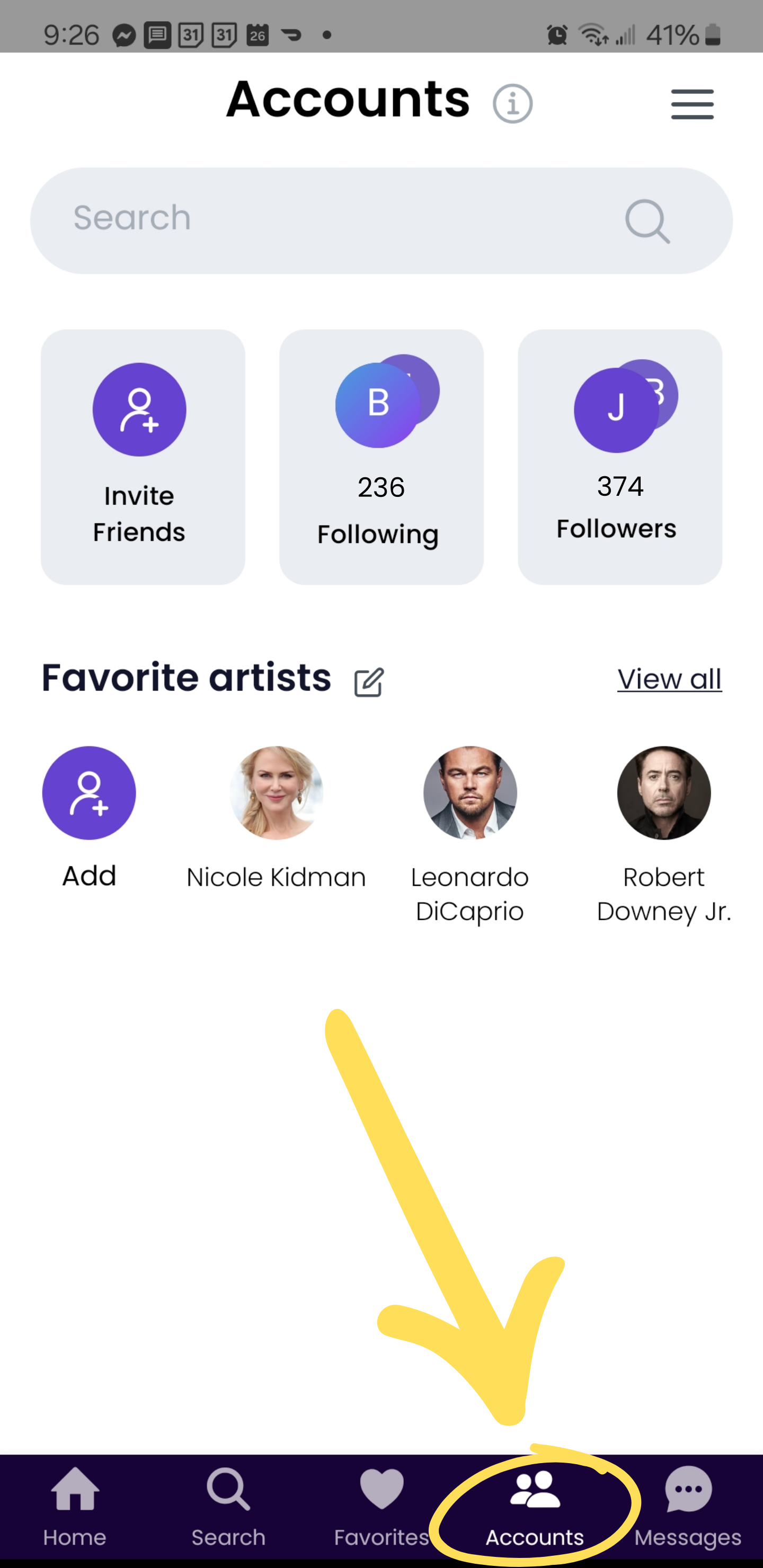
Step 2: Go to "Accounts"
Click the "Accounts" icon in the bottom menu of your screen, as shown in the image below:
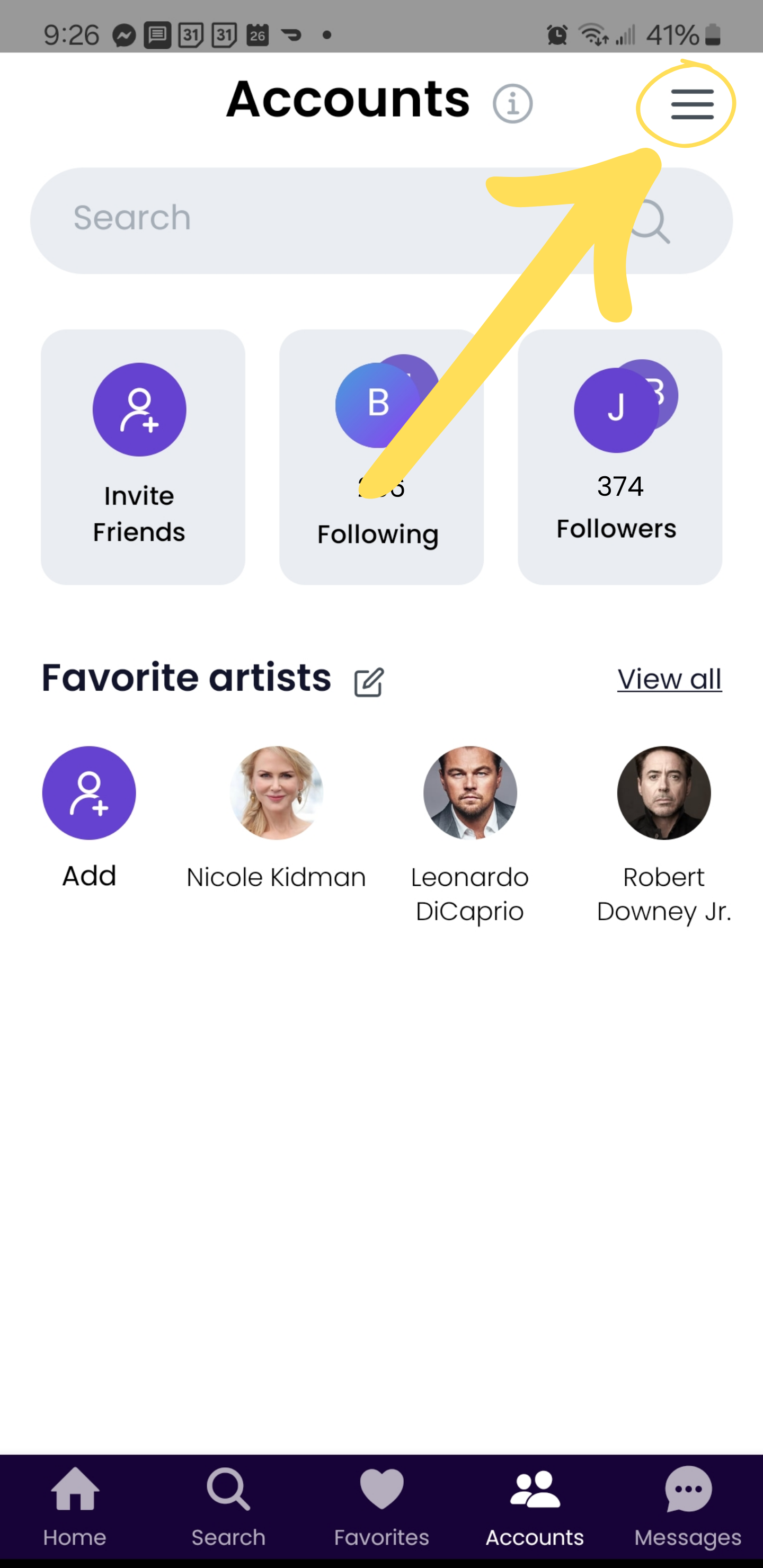
Step 3: Click the Accounts menu
Click the menu icon (three horizontal lines) at the top the Accounts screen, as shown in the image below:
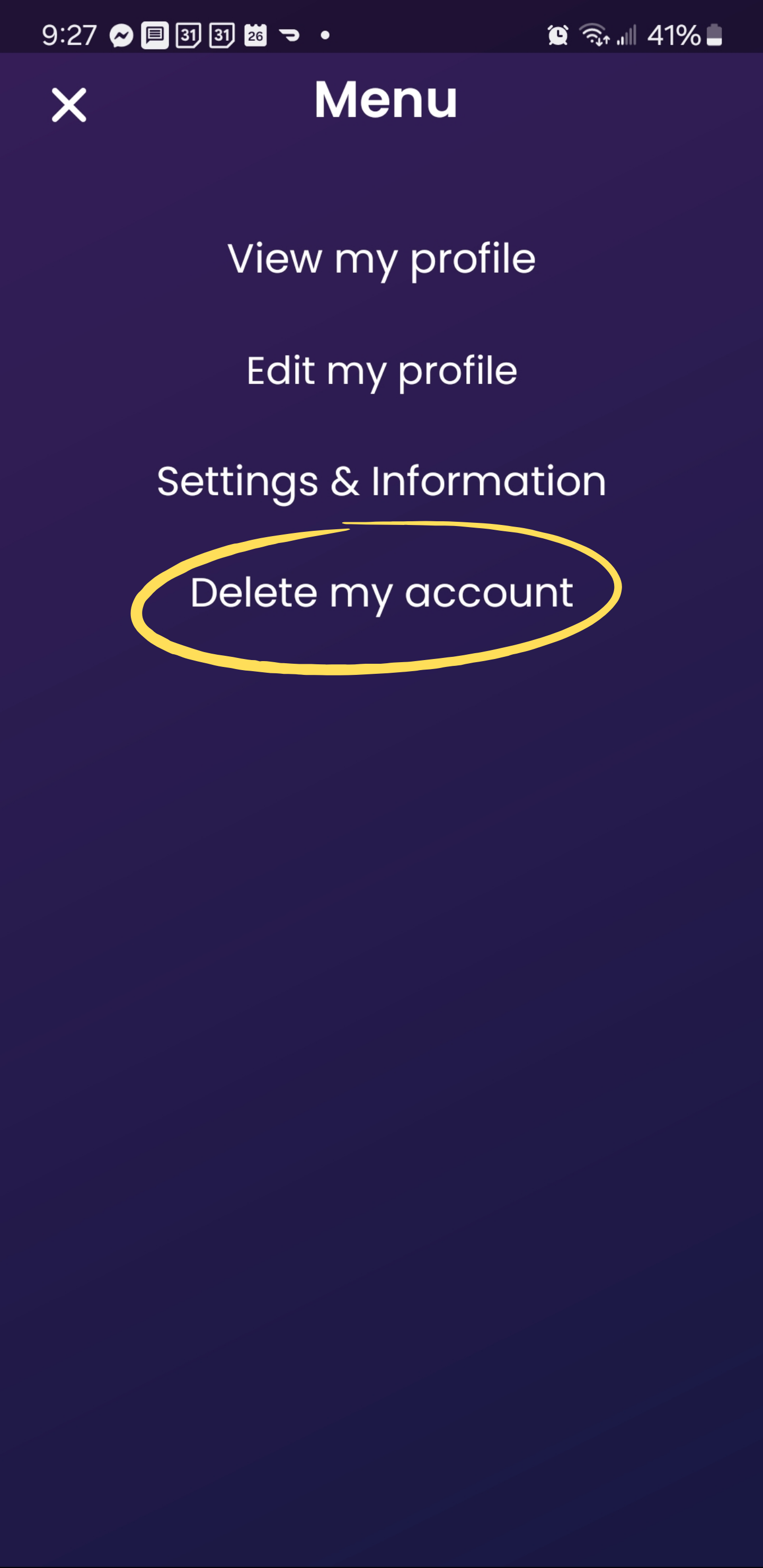
Step 4: Click "Delete my account" from the menu
Click "Delete my account" from the menu, as shown in the image below, and we will take it from there!
Was this article helpful?
That’s Great!
Thank you for your feedback
Sorry! We couldn't be helpful
Thank you for your feedback
Feedback sent
We appreciate your effort and will try to fix the article